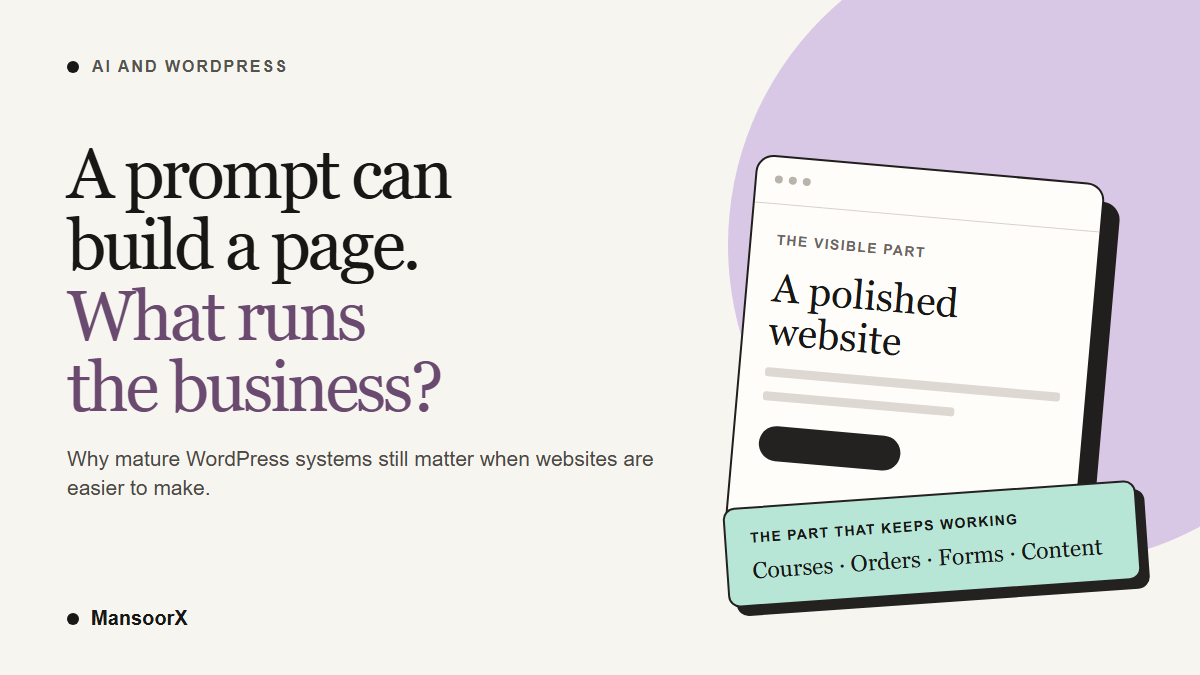
AI has made it much easier to produce a website. I agree with that part. What I do not agree with is the next leap: that a site you can generate quickly makes WordPress unnecessary. A page is the visible part of a business system. The difficult part often begins after someone clicks a button.
My view is that WordPress will remain useful, and probably become faster to work with, because it already has established systems for publishing, selling, teaching, collecting information, and managing access. New AI connections can operate some of those systems directly. That is more interesting to me than generating another front end from scratch.
The argument I kept hearing
Through 2025 and into 2026, coding assistants such as Claude Code and Codex made it possible to go from a description to a working-looking site in a short time. I saw a familiar conclusion drawn from that: why bother with WordPress, hosting, themes, plugins, and updates when a prompt can make the whole thing? WordPress was supposedly too complicated for what came next.
There is a real criticism inside that argument. A poorly chosen collection of plugins can make a WordPress site slow, fragile, and unpleasant to maintain. Some sites probably would be better as a simple static page. I am not interested in defending a bad WordPress build just because it is WordPress.
But I think the one-prompt comparison usually stops at the wrong point. It compares the time needed to make the first version of a page. It rarely compares what it takes to run the actual business six months later.
Are you building a course business or a software business?
Suppose you sell online courses. The homepage and course landing page matter, of course. But you also need enrollment, payments, access rules, lessons, progress tracking, emails, refunds, reporting, and a way for staff to fix mistakes. Some of those requirements change as the business grows.
With WordPress, you can start with an LMS such as LearnDash and connect the other parts you need. That is not a guarantee that every plugin combination will be painless. It does mean a large part of the operating system already exists and has a team responsible for maintaining it. You can spend more of your time on the courses, customers, and distribution.
Imagine a student pays but does not get access to a lesson. It is a small problem from the outside and a serious one to the person who paid. Someone has to trace the payment, the enrollment rule, the account, and the email or login flow. A nice landing page does nothing for that student. This is why I care about the systems underneath the design, and about knowing who will support them.
You could ask a coding assistant to build the same functions in a custom application. You could also buy a separate course platform and connect it to a custom front end. Those are legitimate choices. If you choose to own the whole custom application, though, you also own its bugs, security decisions, upgrades, and the odd edge case that appears only after real customers arrive.
That is the question I would ask before choosing a stack: are you trying to run an e-learning business, or do you want to run a software business alongside it? Neither answer is wrong. Pretending they require the same amount of ongoing attention is where the trouble starts.
What changed when WordPress met MCP
WordPress 6.9 introduced the Abilities API. It gives core and plugins a standard way to describe an action, its inputs and outputs, and who is allowed to run it. The WordPress AI team also released a separate MCP Adapter that can make selected abilities available to compatible AI tools. This distinction matters: MCP is not a switch that turns every WordPress feature into an AI tool, and the adapter is not the same thing as MCP being built into WordPress core.
In plain language, an assistant can ask the site what supported actions exist and then perform an authorized one. It might be able to create a draft page, inspect a form, or update a product. The scope depends on the plugin, its version and settings, the connection method, and the WordPress user behind the connection. The assistant does not gain magical knowledge of every plugin just because you connected the site.
This is why the development matters. AI no longer has to replace the established system to help you work faster. In some cases, it can use that system.
For instance, you might ask an assistant to draft a course page in Elementor, create an intake form through a supported forms integration, and inspect a course setup in LearnDash. Those are separate, documented actions, not a single promise that one prompt will run an entire school. You still need to check the page, the form destination, the enrollment rule, and the student experience together.
Which WordPress products actually expose AI tools?
As of September 2026, these are documented examples from the product teams themselves. They are not all at the same stage, and “supports MCP” does not mean unrestricted access to the whole product.
- Elementor: Elementor MCP lets compatible assistants work with editable Atomic pages, layouts, and design-system elements. It is optional; the company says generated work is saved as a draft for review. The supported editor structures and setup requirements matter, so I would not read this as a promise that every old page can be perfectly rebuilt by a prompt.
- WooCommerce: its MCP integration is still labeled a developer preview. Current purpose-built abilities cover product queries and changes, plus selected order actions such as status updates and notes. It requires the feature flag and proper permissions. The older WooCommerce-specific endpoint is deprecated in favor of the shared WordPress adapter path.
- LearnDash: its MCP documentation describes course, lesson, enrollment, assignment, and settings actions through its REST API. That makes the course example more than a thought experiment. The same documentation says quizzes are read-only, and the connection cannot create WordPress users, change themes, or upload media.
- Gravity Forms: Gravity Forms 3.1 added an MCP server for forms, entries, feeds, and related workflows. It ships off, and tools must be enabled individually. Some actions can change or delete data, so permissions deserve real attention.
- WPForms: its Abilities integration lets an assistant inspect forms and, when write access is enabled, create forms and edit supported fields and basic settings. Entry access requires an appropriate license. It cannot edit payment settings, notifications, or confirmations through those abilities. The vendor documents a separate MCP bridge for connecting a client.
- Advanced Custom Fields: ACF 6.8 can expose field groups, post types, taxonomies, and associated content through the Abilities API. Its AI access needs explicit setup, and existing items are off until allowed. You still need an MCP server or adapter to connect an external assistant.
- Yoast SEO: the documented abilities currently return SEO, readability, and inclusive-language scores for recently modified posts. They are read-only. This is useful for inspection, but it is not evidence that a connected assistant can rewrite every Yoast setting through MCP.
That list is encouraging precisely because the differences are visible. One product exposes draft page creation; another exposes store operations in preview; another allows only analysis scores. I would rather know the limits than hear that an agent can “run my entire website” and discover the missing pieces after connecting it.
A faster build is not the same as a safer operation
An AI assistant can also make an incorrect change very quickly. A form may look right while sending notifications to the wrong address. A course can be created but not connected to the correct access rule. A product edit can affect orders or pricing. The sensible workflow is to give the assistant the smallest permissions it needs, work on drafts or staging where possible, keep backups, and review the business-critical path yourself before publishing.
WordPress has its own maintenance cost. Hosting, plugin compatibility, updates, backups, performance, and security do not disappear because MCP exists. Conversely, a Next.js application can be reliable if it is built and maintained by people who understand the system, and it can use established services instead of reinventing everything. I would not choose a stack based on a dramatic demo from either side.
The difference is often where you want to spend your engineering effort. For a distinct software product with unusual workflows, a custom application may be the right investment. For a business that needs content, courses, commerce, forms, and a site its team can edit, replacing every established component with generated code can be an expensive detour.
My bet on WordPress
I do not think the future is “AI websites” on one side and WordPress on the other. That framing assumes AI must replace the tools we already trust. The more practical outcome is that people use AI to build and operate inside those tools, while still checking the work.
The page is becoming cheaper to make. A system that keeps working, stays understandable to its owner, and can be repaired when something breaks is still valuable. WordPress has a credible place in that future. Perhaps a stronger place than it had when every change required clicking through five admin screens, although the new integrations have a lot of maturing to do.
Before you ask an assistant to build your next site, write down what has to happen after the visitor clicks “buy,” “enroll,” or “send.” Include who will maintain those steps a year from now. That short exercise will tell you more about the right platform than a one-prompt demo.
Research note: product capabilities and maturity labels above reflect vendor documentation available in September 2026. They describe what the integrations support, not a claim that I tested every plugin or that every feature is enabled on every site.