Elementor Loop Grid layout breaking usually shows up like this: the loop looks fine in the editor, then the live page collapses, overflows, or stacks wrong. Cards stretch. Content spills out of the parent. Sometimes only mobile breaks.
I am going to walk the real causes I check first: nested links on the card, clickable container vs child links, overflow/min-width CSS, V3 vs V4 widgets inside the loop item, then regenerate CSS and cache. Rebuild the loop last. Most Loop Grid failures are one of those, not a random “Elementor is broken” mystery.
Editor OK, frontend broken
That pattern matters.
The Loop Grid item template can render under different CSS and markup rules on the front than it does inside the editor canvas. Nested tags, missing CSS files, and container overflow often look “almost fine” while you edit, then fail when the real DOM and cached CSS load.
Before you redesign the card:
- Open the live page in a private window.
- Compare desktop and mobile.
- Note whether every item breaks, or only items with long titles, images, or buttons.
If only long-content items break, start with overflow. If every item breaks the same way, start with nested links or a widget that does not belong in a Loop item.
Nested anchors on the card
Invalid nested links are a top Loop Grid breaker.
People wrap the whole card container in a link, then keep the title link, image link, or button link inside. Browsers “fix” that however they want. Layout and click targets get weird. Overflow gets weirder.
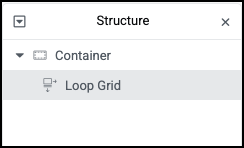

Check the Loop item structure:
- Edit the Loop item template.
- Look for a container or wrapper with a link set on the container itself.
- Look for child widgets that also link (Heading dynamic link, Image link, Button).
If you need the whole card clickable, do not stack container-as-link on top of child links. Use one link strategy. I cover the safer overlay pattern in a companion post on fully clickable Loop cards. For a broken layout right now, remove the duplicate links first and retest the front.
Invalid HTML is not a style preference. It is a layout bug waiting to happen.
Clickable card vs child links
Pick one model:
- Title + button only: card body is not a link. Title and CTA carry the URLs. Safest for complex cards.
- Whole card clickable: one overlay link (or one carefully set clickable element) and no nested child
tags. - Mixed (the broken one): container linked AND heading linked AND button linked.
If your layout broke right after you “made the whole card clickable,” you almost certainly hit model 3. Strip child links, or strip the container link, then regenerate CSS and purge cache.
Make sure buttons that must stay separate (for example a secondary “Quick view” control) are either outside the linked region or not nested inside another anchor.
Overflow and min-width fixes
Loop cards often break when content forces the grid track wider than the column.
Common symptoms:
- Card content spills outside the column
- Horizontal scroll on mobile
- Image or title pushes neighbors
Practical CSS checks on the Loop item root and inner containers:
min-width: 0;
overflow: hidden; /* or overflow-wrap on text */
min-width: auto on flex/grid children is a frequent culprit. Setting min-width: 0 on the card container (and sometimes on the text column) lets the item shrink inside the grid track.
Also check:
- Images without
max-width: 100%/ object-fit rules - Long unbroken strings (URLs, SKUs) without overflow-wrap
- Absolute-positioned badges that escape the card
Add the minimum CSS needed on the Loop item. Do not spray !important across the whole site. Retest one card with the longest title you have.
V3 vs V4 widgets inside Loop items
Elementor 4 / Atomic-style widgets and older V3 widgets do not always behave the same inside Loop Grid templates.
If the Loop item was rebuilt with newer widgets after an upgrade, and the front lost spacing or width rules, test a simpler item:
- Duplicate the Loop item template.
- Rebuild one card using stable Heading, Image, Button, and Container only.
- Point the Loop Grid at the duplicate temporarily.
If the simple card holds layout and the V4-heavy card does not, the issue is widget CSS inside the loop context, not the Loop Grid query itself. Fix or replace the widgets that lose styles on the front. Then regenerate CSS.
I am firm on this: do not keep adding nested containers to “push” a broken widget into place. Simplify the item until the grid is stable, then add complexity back one widget at a time.
Regenerate CSS and cache order
After structure and CSS fixes:
- Elementor → Tools → Regenerate CSS & Data
- Clear site cache (plugin/host)
- Clear CDN cache if you use one
- Hard refresh the front (or private window)
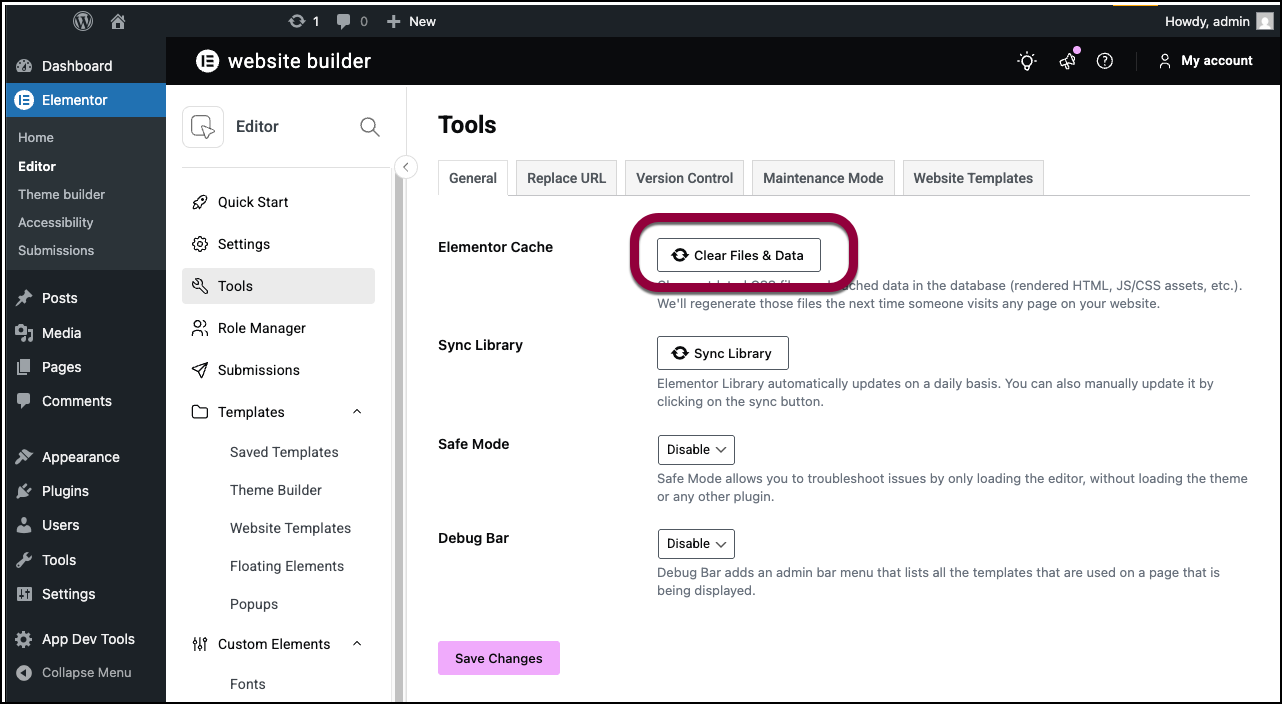
If you changed Site URL / HTTPS recently, also run Elementor’s Replace URL tool so CSS file paths are not still pointing at an old host. Stale CSS makes Loop Grid look haunted: editor uses fresh rules, front loads old files.
Order matters. Fix markup first. Then regenerate. Then purge caches. Regenerating will not repair nested anchors.
Checklist before you rebuild the loop
Run this once:
- Nested links removed or reduced to one strategy
- Long-content card tested for overflow (
min-width: 0where needed) - Loop item widgets simplified if V4 styles drop on front
- Regenerate CSS & Data
- Cache/CDN purged
- Private-window check on desktop and mobile
Only rebuild the Loop item from scratch if that list fails. Rebuilds feel productive. Diagnosis is faster.
Soft close
Most Elementor Loop Grid layout breaking cases are nested links, overflow inside the grid track, or CSS that never reached the front. Fix those before you throw away a working query.
If the grid still collapses after that checklist, send me a note with a link to the live page and a screenshot of the Loop item structure panel. I build Loop and CPT systems for a living (about), and I would rather see the real markup than guess from a vague “grid broken” message.
FAQs
Why does the editor look fine if the front is broken?
The editor canvas is not the full front-end CSS and DOM environment. Nested links, cached CSS, and widget front styles can diverge. Always verify on the live URL after changes.
Is this the same as Loop Carousel sync issues?
No. Syncing a background slideshow with a Loop Carousel is a different problem. This post is about Loop Grid item layout collapse and overflow. Different widget, different fix path.
Should I disable flexbox / grid containers?
No. Containers are fine. Invalid nested links and missing min-width: 0 on flex children are the usual failures, not “containers in general.”
Do I need a new theme?
Almost never for a Loop Grid layout break. Fix the Loop item and CSS delivery first. Theme swaps rarely repair nested anchors.